Development environments with recent gfortran (gcc 6/7/8), MPI, OpenBLAS, python, key python modules and LaTeX
New: updated December 2019
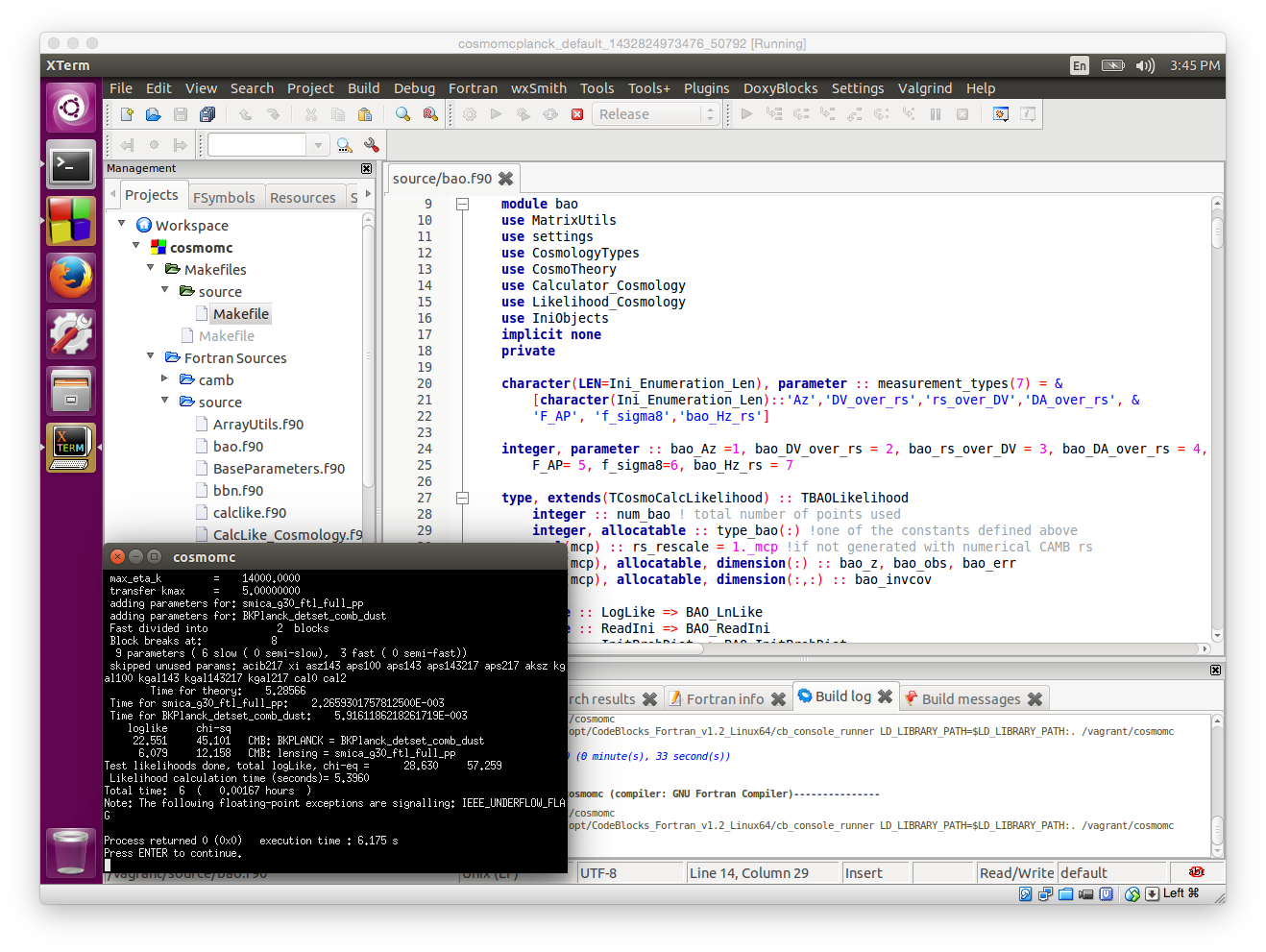
CosmoBox is a configured virtual development environment, with everything you need to use latex and build and debug in Fortran 2008/2013, for use with CAMB, CosmoMC, and many other programs. Files that you work on are stored on your local machine, so you can use your local editor, download large data files, etc, without having to put them inside the virtual environment. There are three main flavours of CosmoBox depending on what you want
vagrant init cmbant/cosmobox
vagrant up
This will download and install the machine for you, and start a running instance.
For further help with Vagrant see Getting Started (for example you may want to change the default memory/CPU configuration by editing the produced Vagrantfile).
Alternatively, you can Download the CosmoBox virtual machine image and load it in VirtualBox directly. This is convenient if you want to make customizations or store data in the virtual machine, but you'll have to set up your own shared folders as needed to access you local machine (and access them from ubuntu under /media/).
Current configuration is based on
docker run -v /local/code/source:/virtual_path -i -t cmbant/cosmobox /bin/bashIn the virtual shell you can "cd /virtual_path", and you should see your host system files under /local/code/source, and you can then run "make" etc to build and run them. On Windows you may need to use -v /c/Users:/c/Users, and then find your files in docker under /c/Users/.
It works well with OpenMP and MPI for testing (depending on how many cores you have on your machine). Additional data files that you want to install and access from within the docker container should be installed on your machine somewhere under /local/code/source.
See Docker CosmoBox on Docker Hub for the configuration of the machine. You could easily make your own images based off cmbant/cosmobox (or the small cmbant/docker-gcc-build) if you want to make a customized environment with other things pre-installed.
To run stable gcc6 version rather than latest gcc7, use cmbant/cosmobox:gcc6, or try gcc8 and devel for more recent versions. If you also want astropy, healpy, camb and jupyter installed, get cmbant/cosmologist, which adds a couple of layers on top of CosmoBox.
CosmoBox AMI and CosmoCluster
These are a bit less up to date.
Amazon Web Services (EWS) provides a way to run virtual machines in the cloud; see What is EC2 for an introduction. By using a CosmoBox image you can
easily compile and test code on a free micro instance, or fire up a production cluster as large as you like by using StarCluster. To get started
ssh ubuntu@ec2-52-24-238-121.us-west-2.compute.amazonaws.com(where the exact domain changes every time you launch an instance).
pip install starclusteror
sudo easy_install StarCluster
[cluster smallcluster]
NODE_IMAGE_ID = ami-3f2c130f
NODE_INSTANCE_TYPE = t2.micro

[cluster cheapcluster]
# Declares that this cluster uses smallcluster as defaults
EXTENDS=smallcluster
#8 cores
NODE_INSTANCE_TYPE = c3.2xlarge
SPOT_BID = 0.25
CLUSTER_SIZE = 2
starcluster start cheapclusterand install and configure the machine as described in the Quick Start and full manual
If you want to use a different Amazon region, you'd need to move the AMI first (launch, make a snapshot, then move region). Each run that lasts 12 hours using 16 cores will typically cost about US $12 using on-demand instances, significantly less for extra nodes if the spot instance price is low (e.g. around $2).